
Assignment management is an essential aspect of teaching, whether it's for regular assignments or assessments. The assignments feature of Sugarizer allows teachers to assign tasks to their students in a structured and controlled manner, directly from the application. Let's explore in this article how assignment management works with Sugarizer.
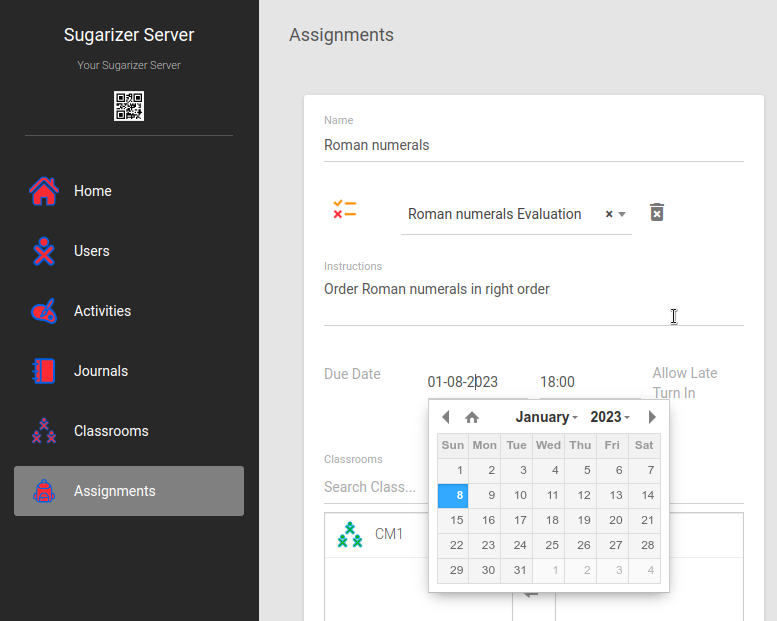
Having a digital tool like Sugarizer to manage assignments offers many advantages for teachers and students:
Organization and clarity: Allowing teachers to centralize and structure assignments ensures that students know exactly what is expected of them. This avoids misunderstandings and forgetfulness.
Progress tracking: Teachers can easily track students' progress, see who has submitted their assignment and who hasn't. This allows for quick detection if a student is facing difficulties.
Immediate feedback: Teachers can quickly evaluate assignments, provide feedback, and return incomplete work for correction. This continuous interaction improves learning and helps students understand their mistakes.
Time saving: Digital assignment management reduces the time spent on administrative tasks such as collecting, distributing, and tracking assignments. This allows teachers to focus more on teaching and personalized support.
Accessibility and flexibility: Students can access their assignments and submit them from anywhere, which is particularly useful for remote or hybrid classes. This also allows students to work at their own pace.
In Sugarizer, an assignment is associated with a specific activity. To create an assignment, the teacher selects an activity from those available in Sugarizer. Depending on the pedagogical needs, this can be a math activity, a reading activity, quizzes, educational games, etc... see the list of fundamental learning activities in Sugarizer here.
In the example below, the teacher creates an assignment based on the Gears activity to learn about gear mechanisms, and another assignment based on the Exerciser activity to learn about Roman numerals.
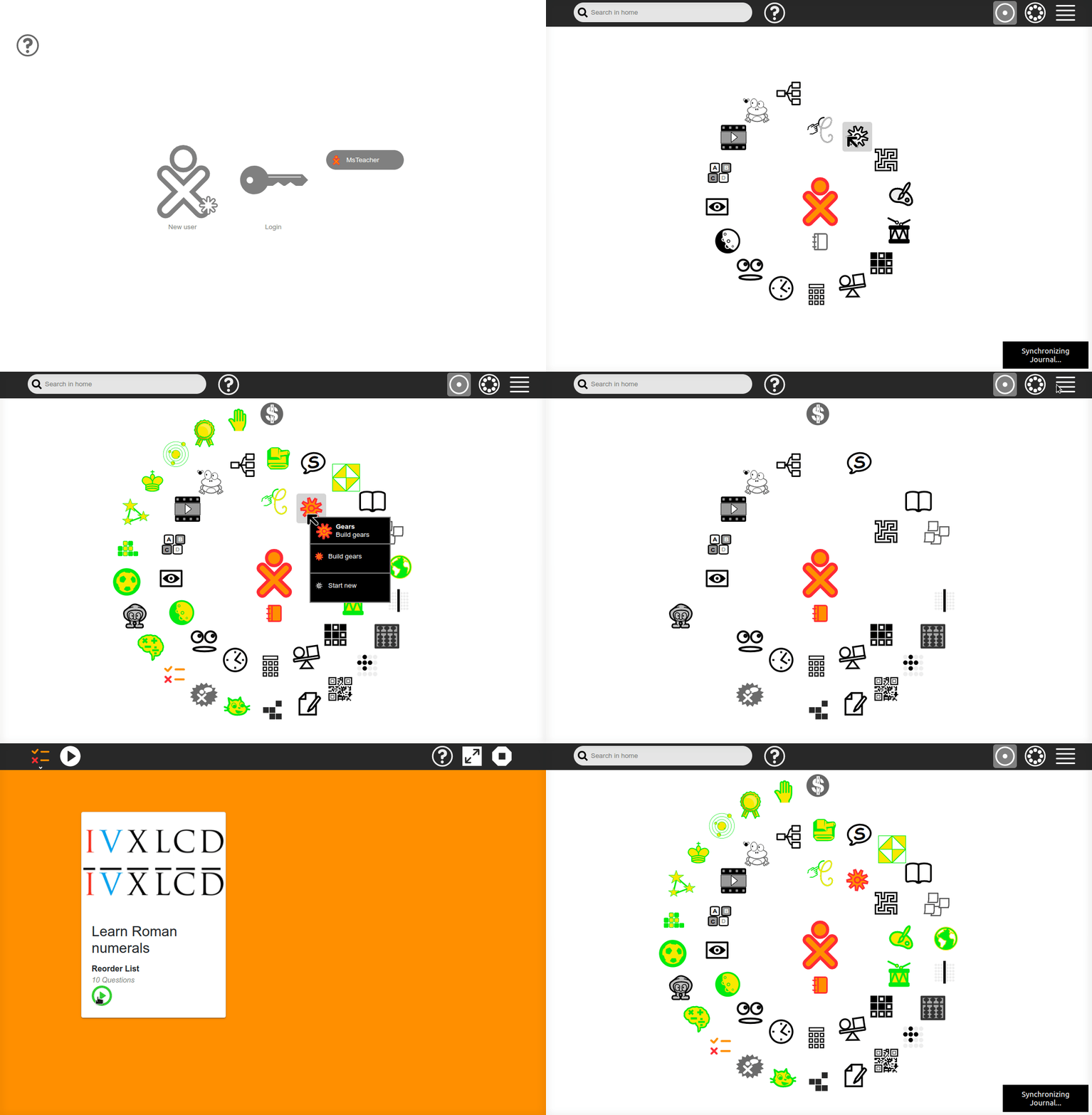
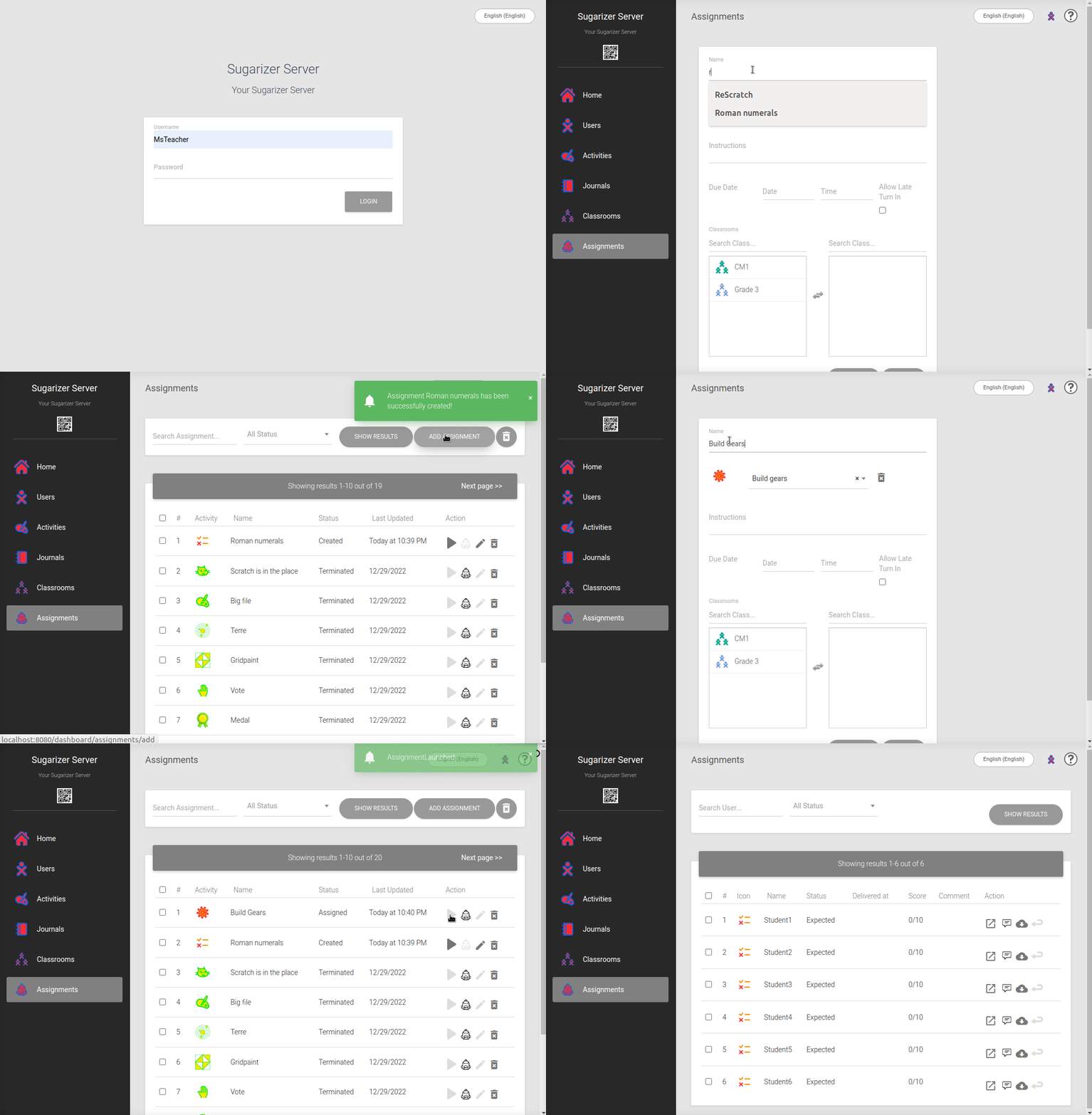
Once the activities are created in Sugarizer, the teacher can assign the tasks to their students from the Sugarizer dashboard.
Here's how it works:
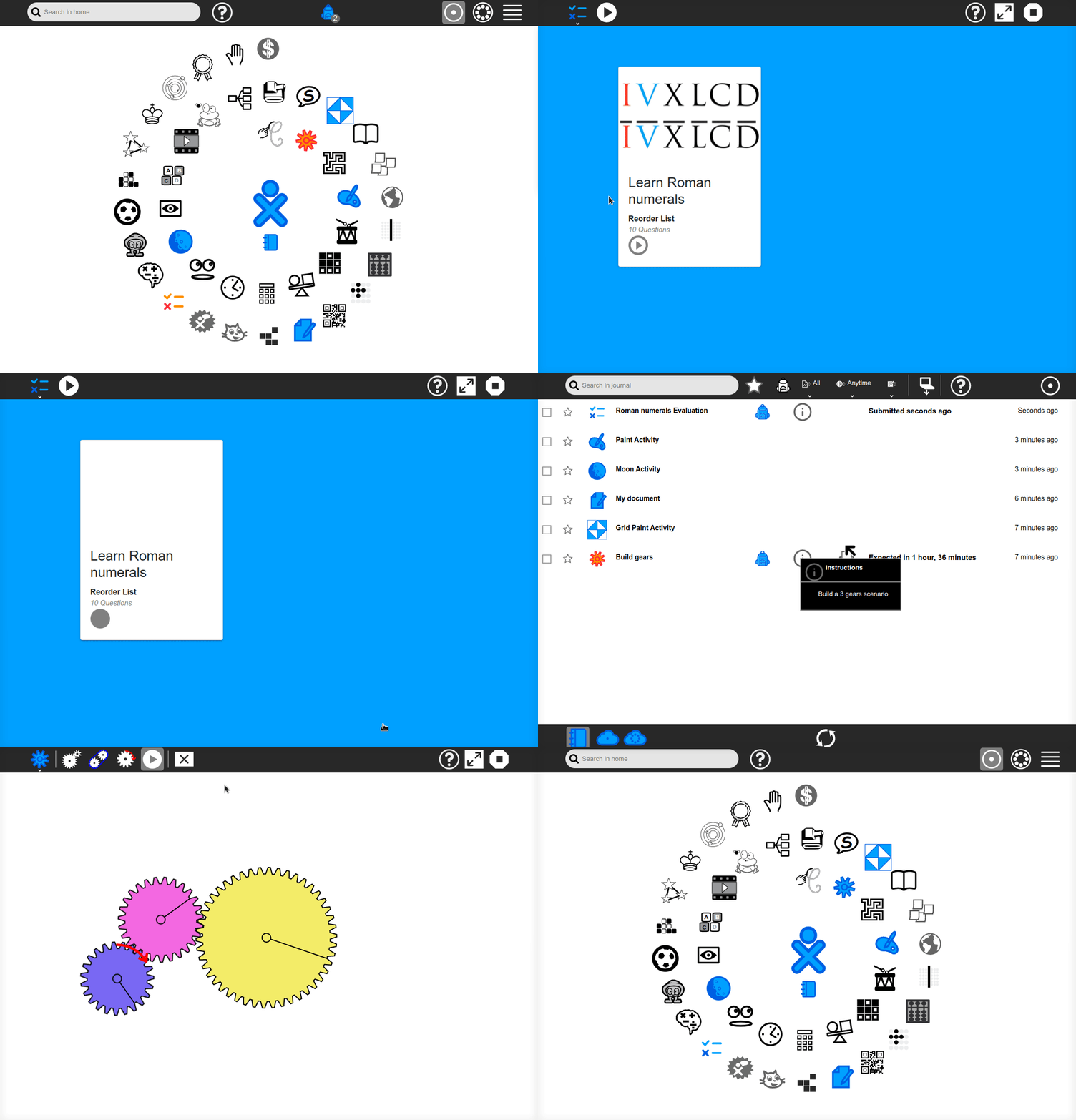
When one or more assignments are assigned to a student, a specific notification appears on their Sugarizer homepage. It informs the student that they have assignments to submit.
By clicking on the notification or opening their Journal, the student can directly access the assignments assigned to them. For each assignment, they can see the teacher's instructions and the expected due date.
They open the assignment like any other Sugarizer activity. They can complete the work in one or multiple sessions, at their own pace, until the due date.
Once the assignment is completed, the student can submit it directly from the Journal by pressing the specific icon. This allows the teacher to evaluate it.
Here's a video of what it looks like:
Once again, it is in the Sugarizer dashboard that the teacher can track assignment submissions.
Here are the available features for the teacher:
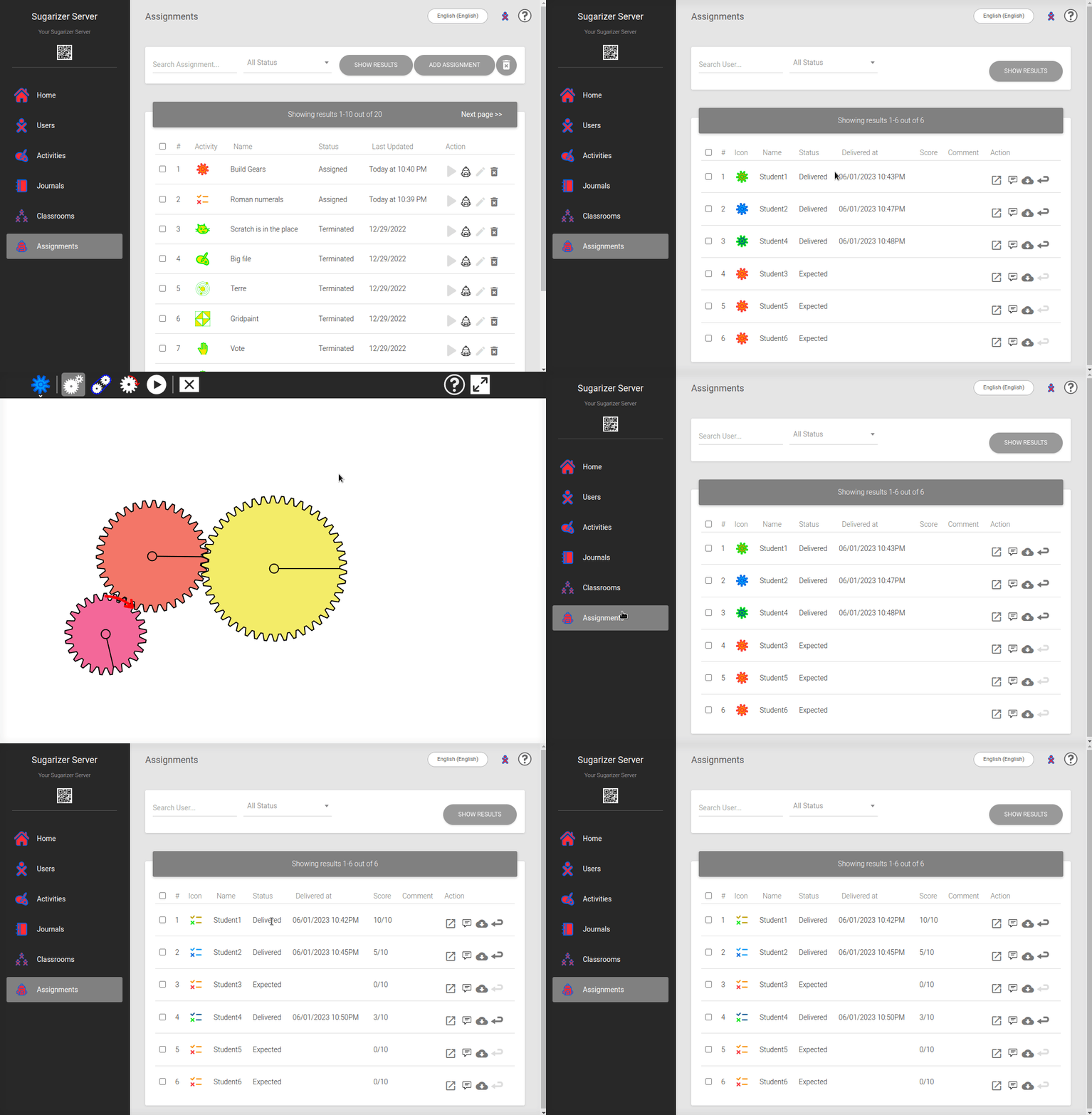
So, beyond the pedagogical activities it integrates, Sugarizer offers a complete solution for assignment management. It makes the task easier for teachers by allowing them to create, assign, track, and evaluate assignments effectively. For students, without leaving the Sugarizer environment, it ensures better organization and clarity in completing their tasks. Thus, Sugarizer contributes to making teaching and learning more interactive, structured, and productive.